Request to Exit Button for Door Access Control - VIS-7040
VIS-7040 FEATURES Push to Exit Button for Door Access Control with LED Light
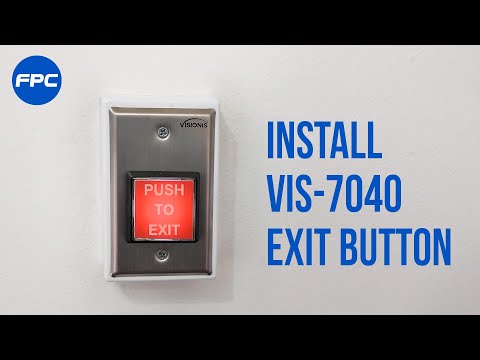
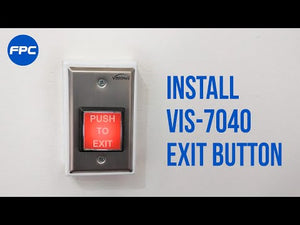
VIS-7040 Exit Button - Step by step installation process
Door release button for Access Control - VIS-7040
Push to Exit Button for Door Access Control With LED Light - VIS-7040
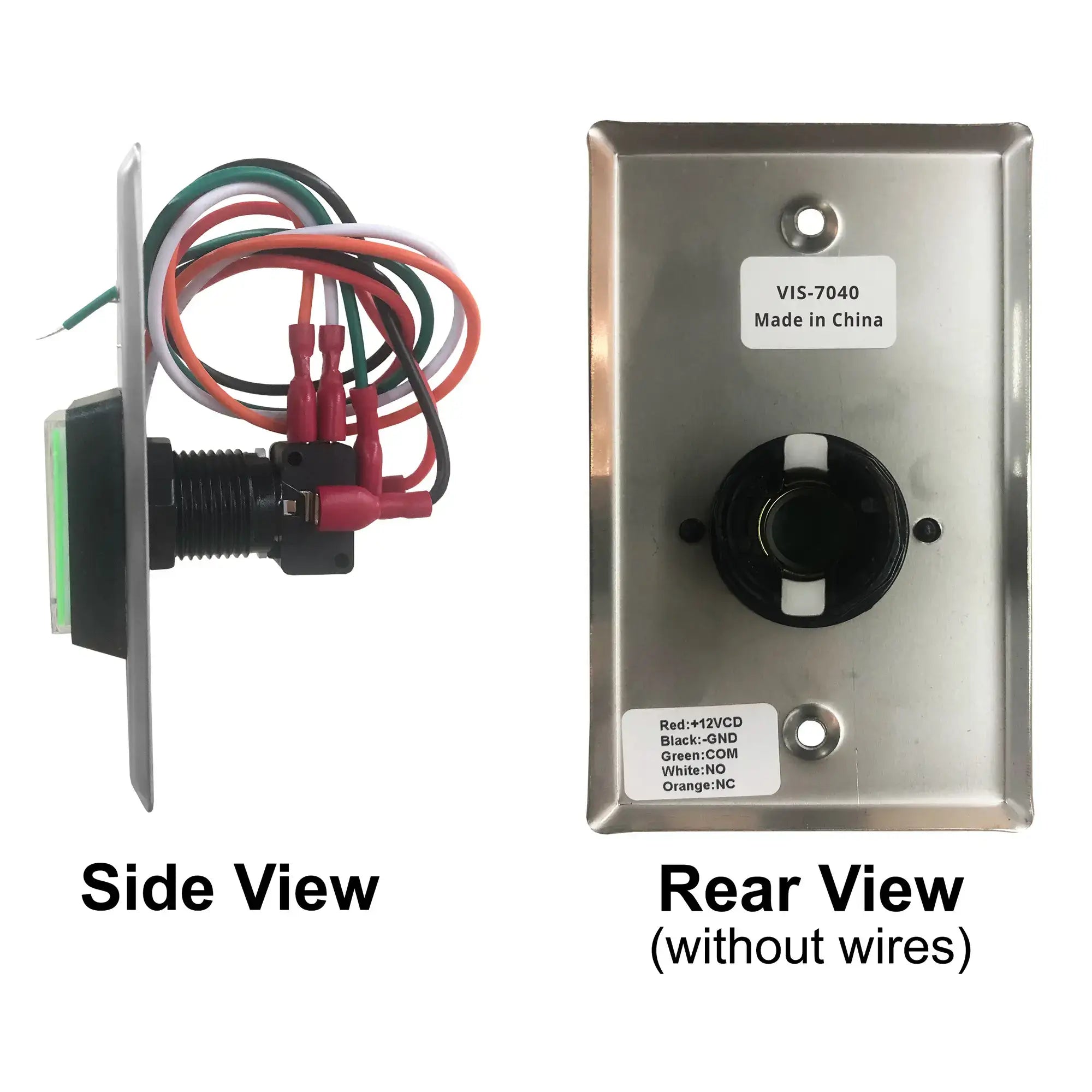
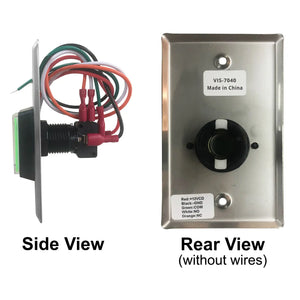
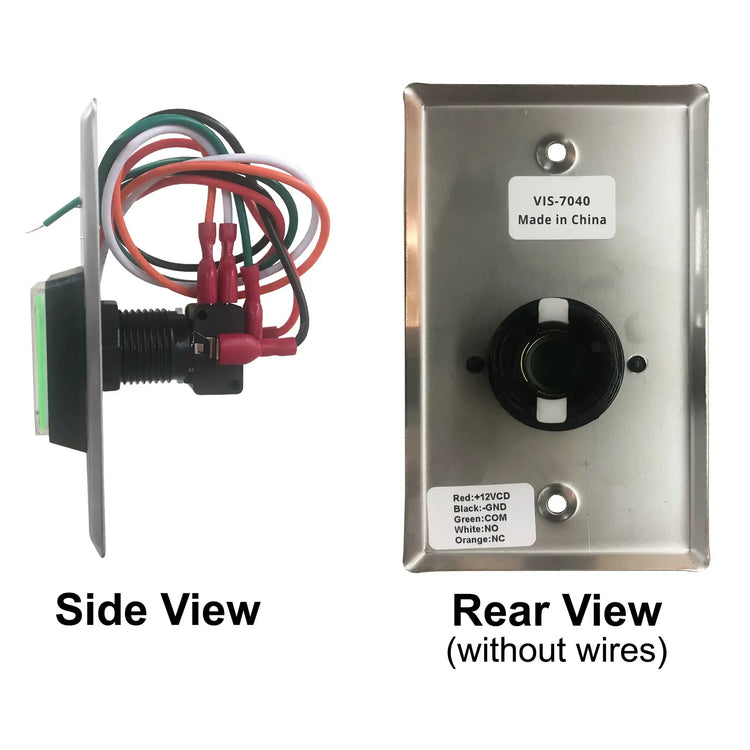
Side an rear view of the push to exit button VIS-7040
Request to Exit Button for electromagnetic lock - VIS-7040
    Request to Exit Button for Door Access Control - VIS-7040
    VIS-7040 FEATURES Push to Exit Button for Door Access Control with LED Light
    VIS-7040 Exit Button - Step by step installation process
    Door release button for Access Control - VIS-7040
    Push to Exit Button for Door Access Control With LED Light - VIS-7040
    Side an rear view of the push to exit button VIS-7040
    Request to Exit Button for electromagnetic lock - VIS-7040
Request to Exit Button for Door Access Control - VIS-7040
VIS-7040 FEATURES Push to Exit Button for Door Access Control with LED Light
VIS-7040 Exit Button - Step by step installation process
Door release button for Access Control - VIS-7040
Push to Exit Button for Door Access Control With LED Light - VIS-7040
Side an rear view of the push to exit button VIS-7040
Request to Exit Button for electromagnetic lock - VIS-7040
Request to Exit Button for Door Access Control - VIS-7040
VIS-7040 FEATURES Push to Exit Button for Door Access Control with LED Light
VIS-7040 Exit Button - Step by step installation process
Door release button for Access Control - VIS-7040
Push to Exit Button for Door Access Control With LED Light - VIS-7040
Side an rear view of the push to exit button VIS-7040
Request to Exit Button for electromagnetic lock - VIS-7040
    Request to Exit Button for Door Access Control - VIS-7040
    VIS-7040 FEATURES Push to Exit Button for Door Access Control with LED Light
    VIS-7040 Exit Button - Step by step installation process
    Door release button for Access Control - VIS-7040
    Push to Exit Button for Door Access Control With LED Light - VIS-7040
    Side an rear view of the push to exit button VIS-7040
    Request to Exit Button for electromagnetic lock - VIS-7040
Request to Exit Button for Door Access Control - VIS-7040
VIS-7040 FEATURES Push to Exit Button for Door Access Control with LED Light
VIS-7040 Exit Button - Step by step installation process
Door release button for Access Control - VIS-7040
Push to Exit Button for Door Access Control With LED Light - VIS-7040
Side an rear view of the push to exit button VIS-7040
Request to Exit Button for electromagnetic lock - VIS-7040
Description

The VISIONIS Request-to Exit Buttons and Switches offers a variety of options to fit several applications needs.

The VISIONIS line is designed to provide a reliable source of egress access controlled opening devices in residential, commercial and Industrial locations. The VISIONIS Request-to Exit Buttons may be connected to the request-to-exit input of any access control device or directly connected to an electromagnetic lock or Electric strike Device.


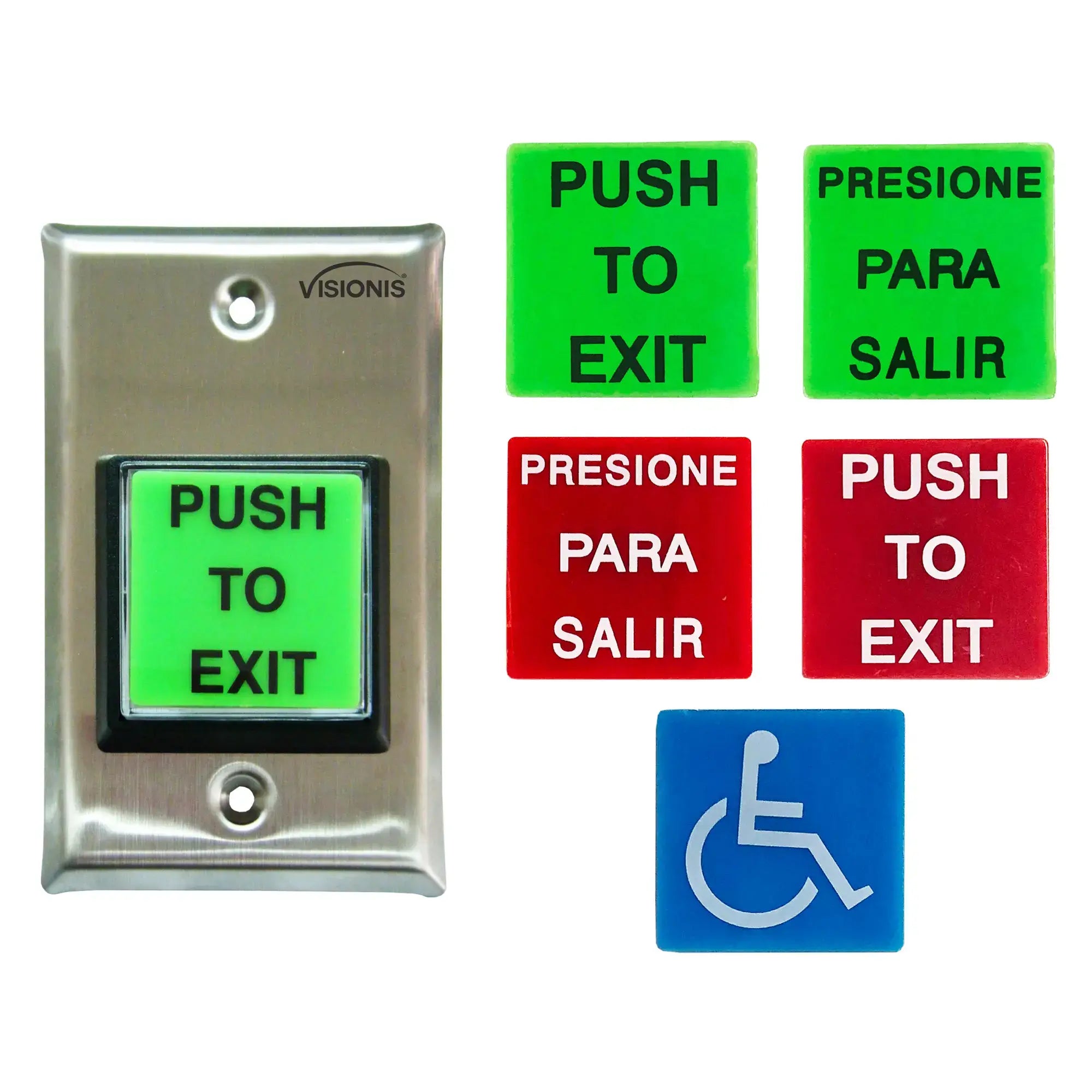
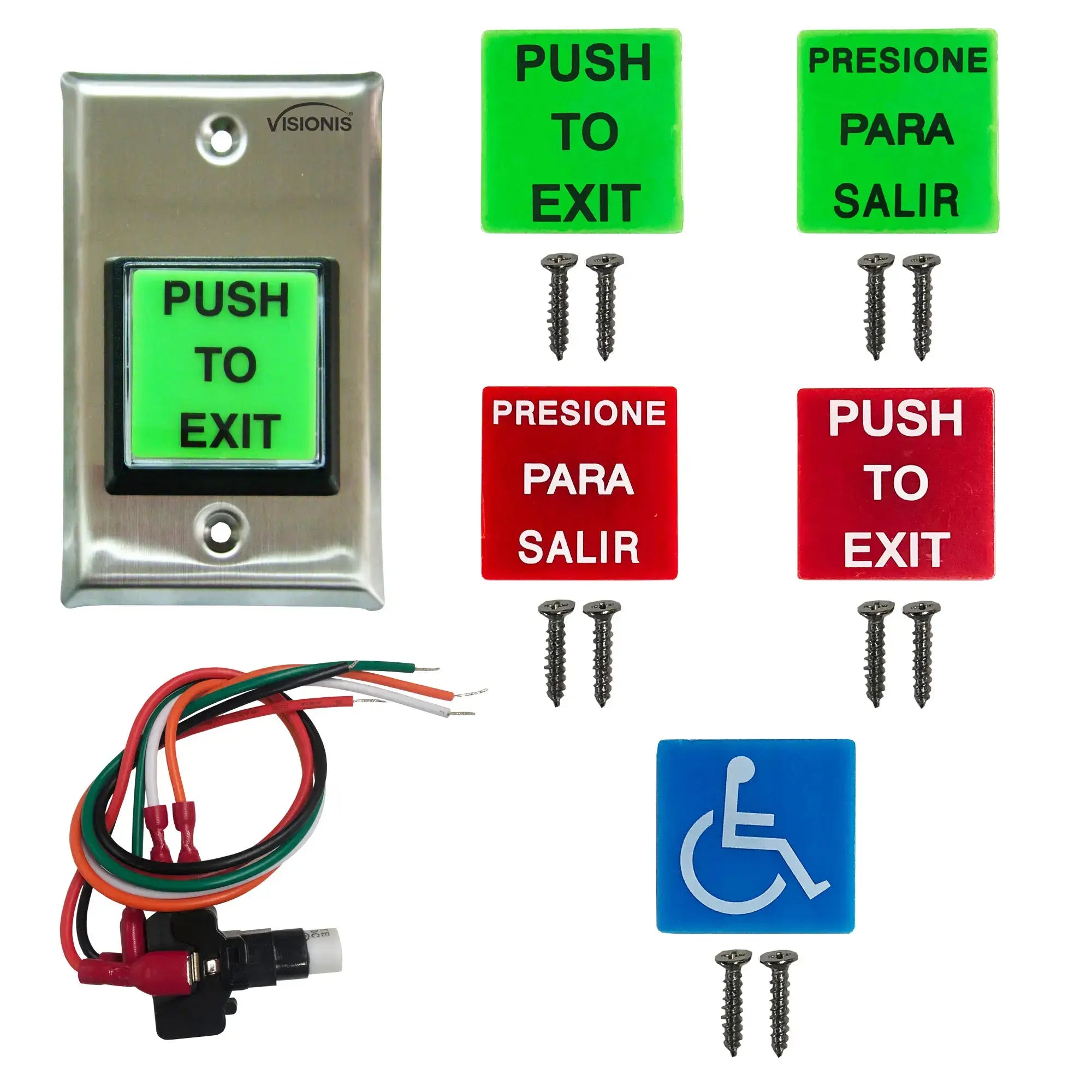
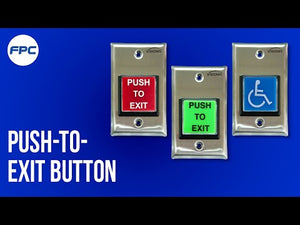
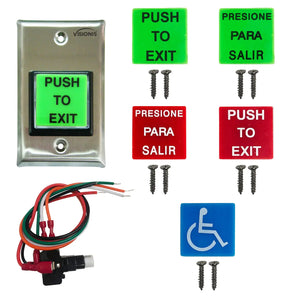
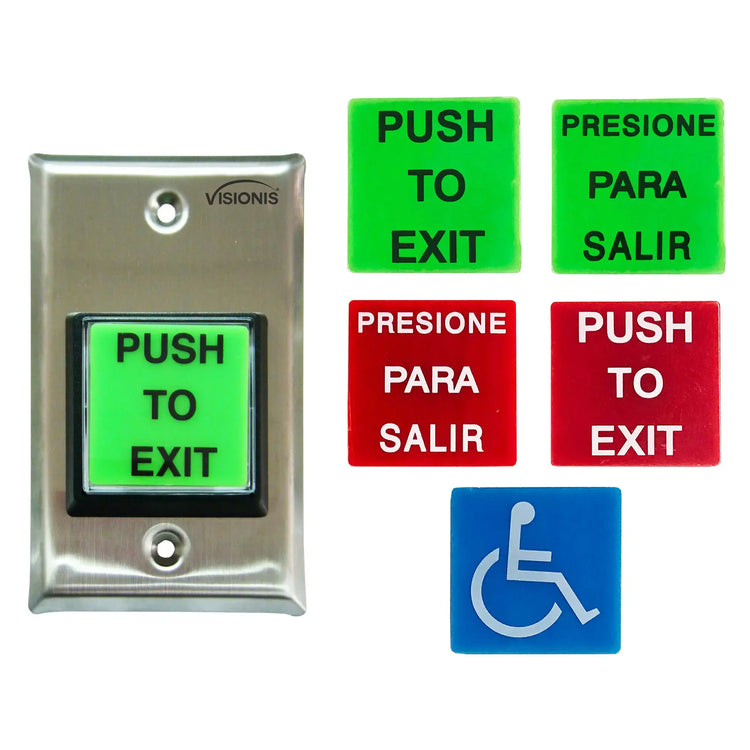
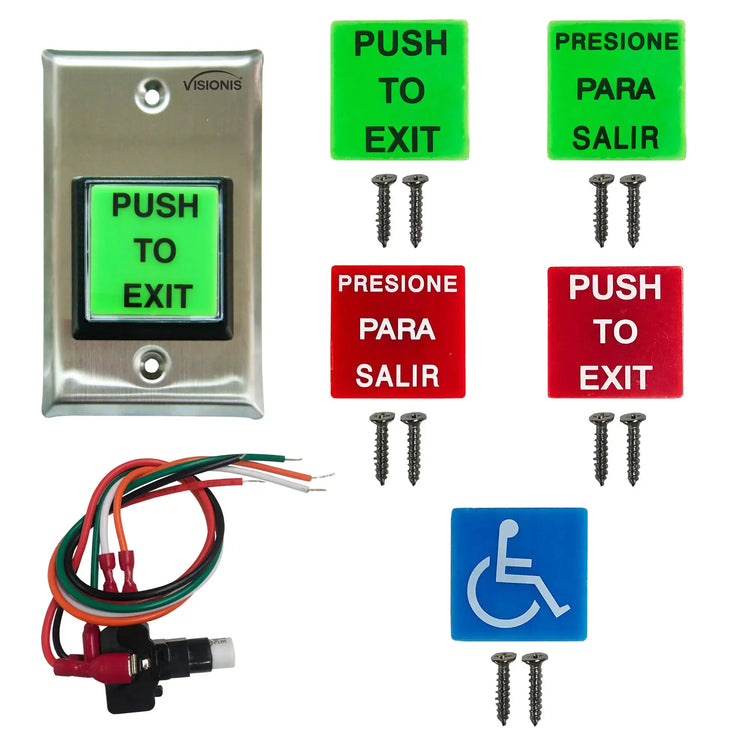
This Exit Button includes the following plates:

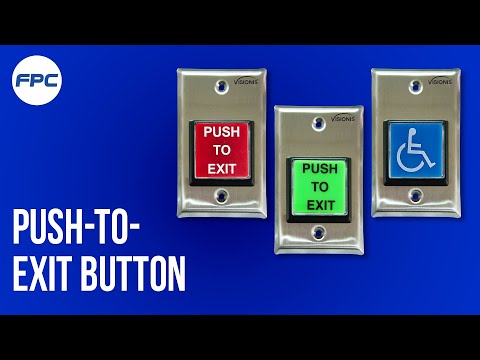
  • “PUSH TO EXIT” in green and red color.
  • “PRESIONE PARA SALIR” in green and red color.
  • Blue handicap plate.

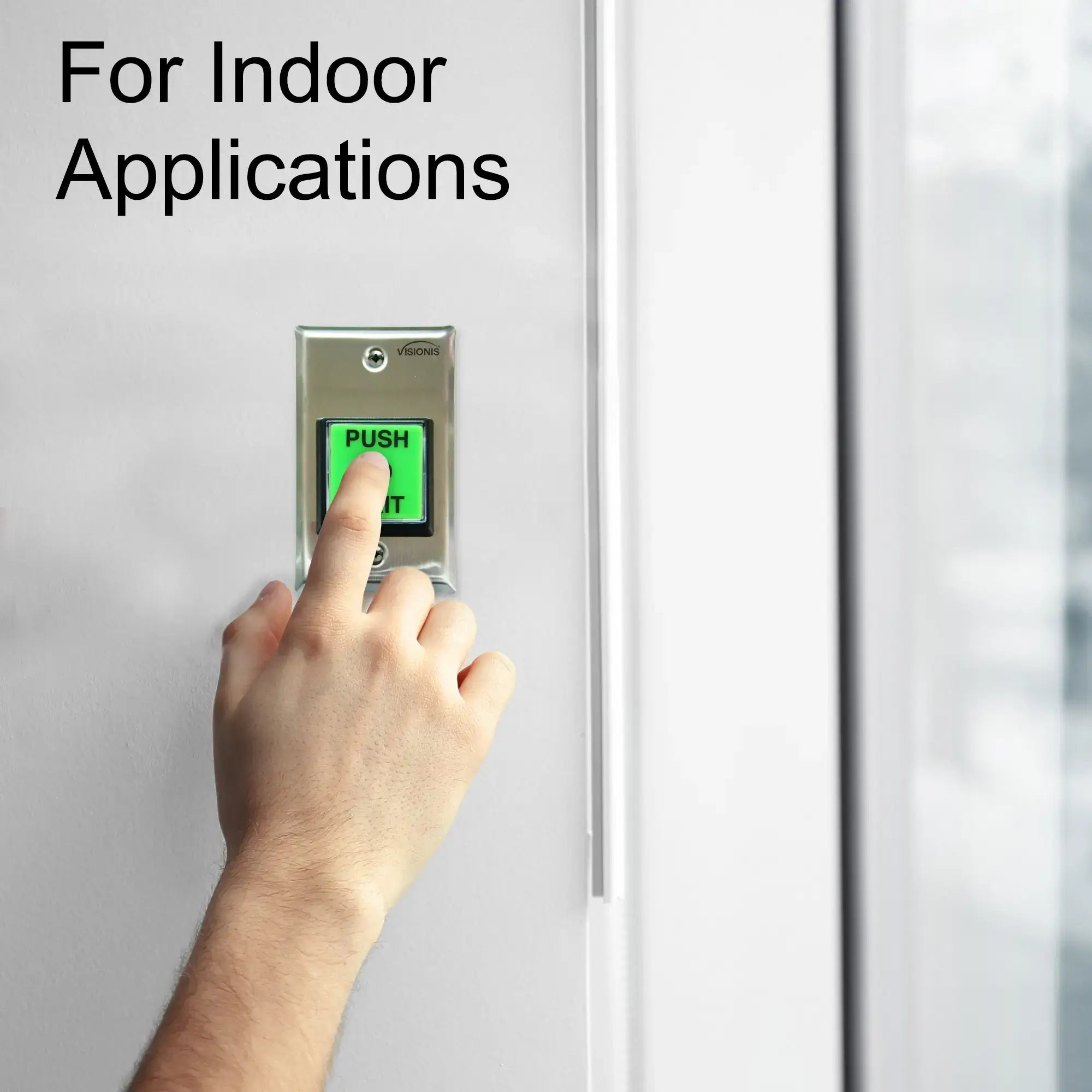
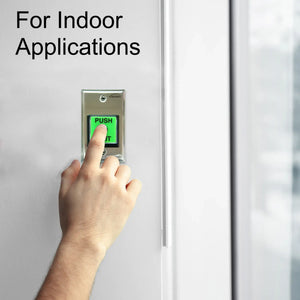
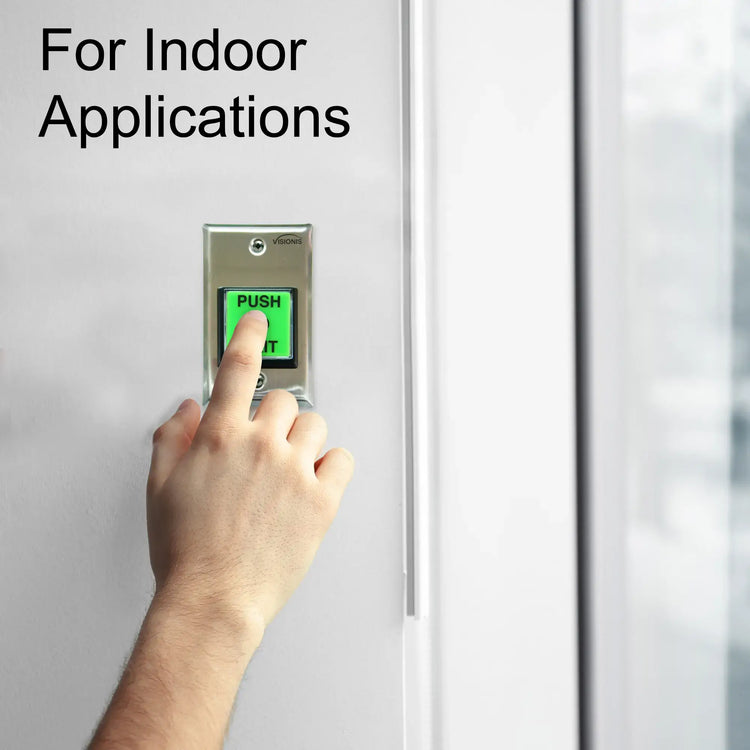
Attention: This exit button is meant for indoor use. This Exit button does not have a delay.
Characteristics

Model No. VIS-7040:

  • Stainless-steel face-plate.
  • Fits into standard single-gang box
  • Large squared green color push button.
  • 12-Inch, AWG 18 wire leads
  • Degree of Protection: IP-40
  • LED: Yes
  • LED Life: 20000hours
  • Switch Material: Plastic
  • Switch Plate Material: Stainless Steel
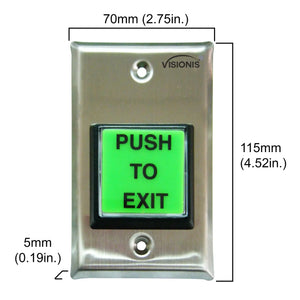
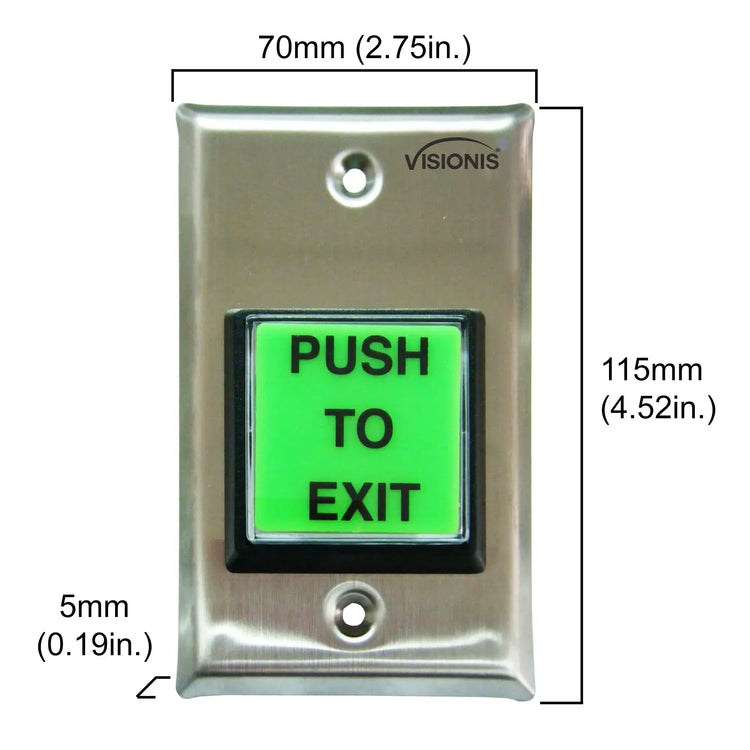
  • Dimension of Mounted Switch: 57 mm or 2.24 In.
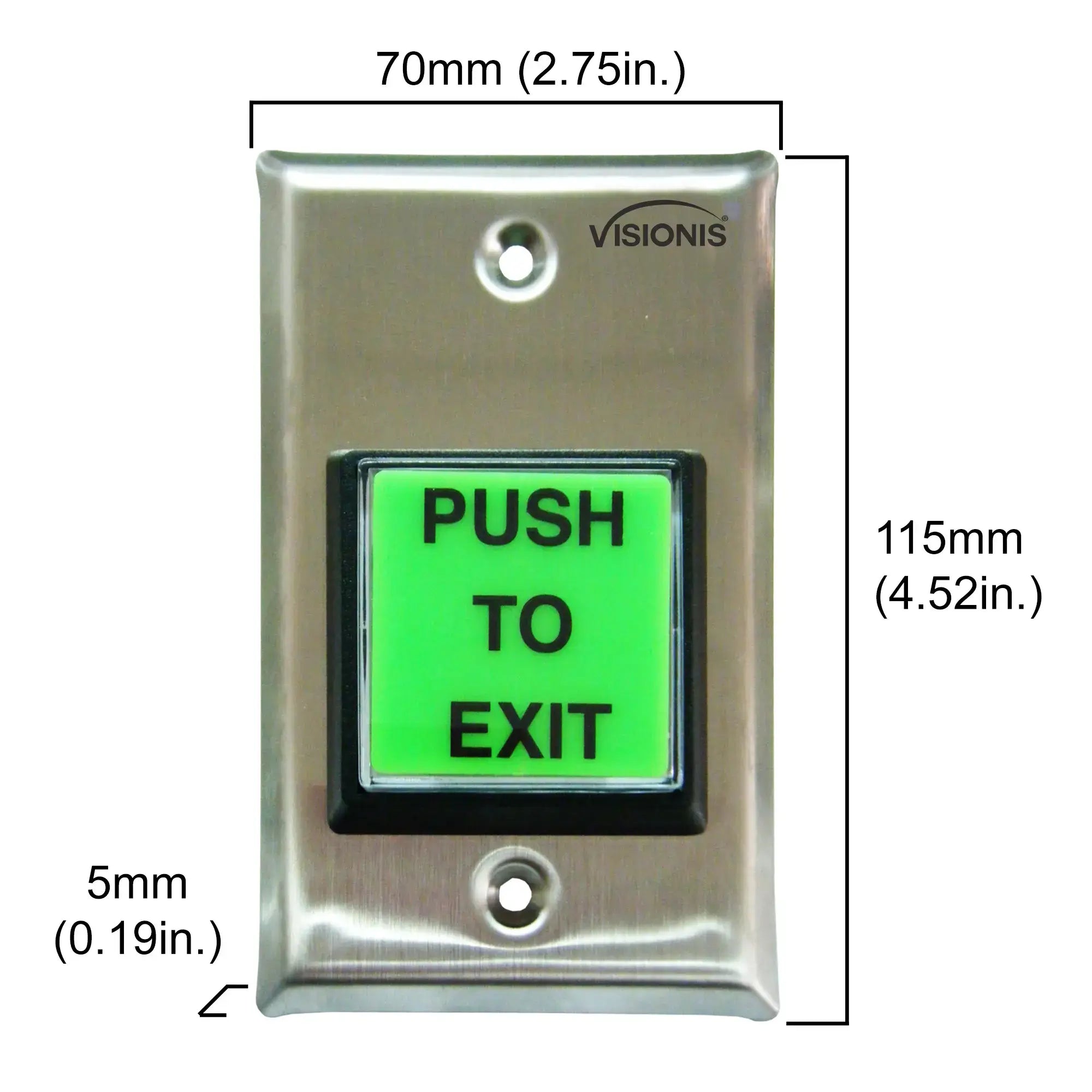
  • Dimension of Exit Button: 115L×70W×5H mm or 4.52L×2.75W×0.19H Inches.
  • Standard: U. S. A Standard
  • NO/NC contact rated 10A@125~250 VAC.
  • Illum. S.P.D.T.

Attention: This exit button is meant for indoor use. This Exit button does not have a delay

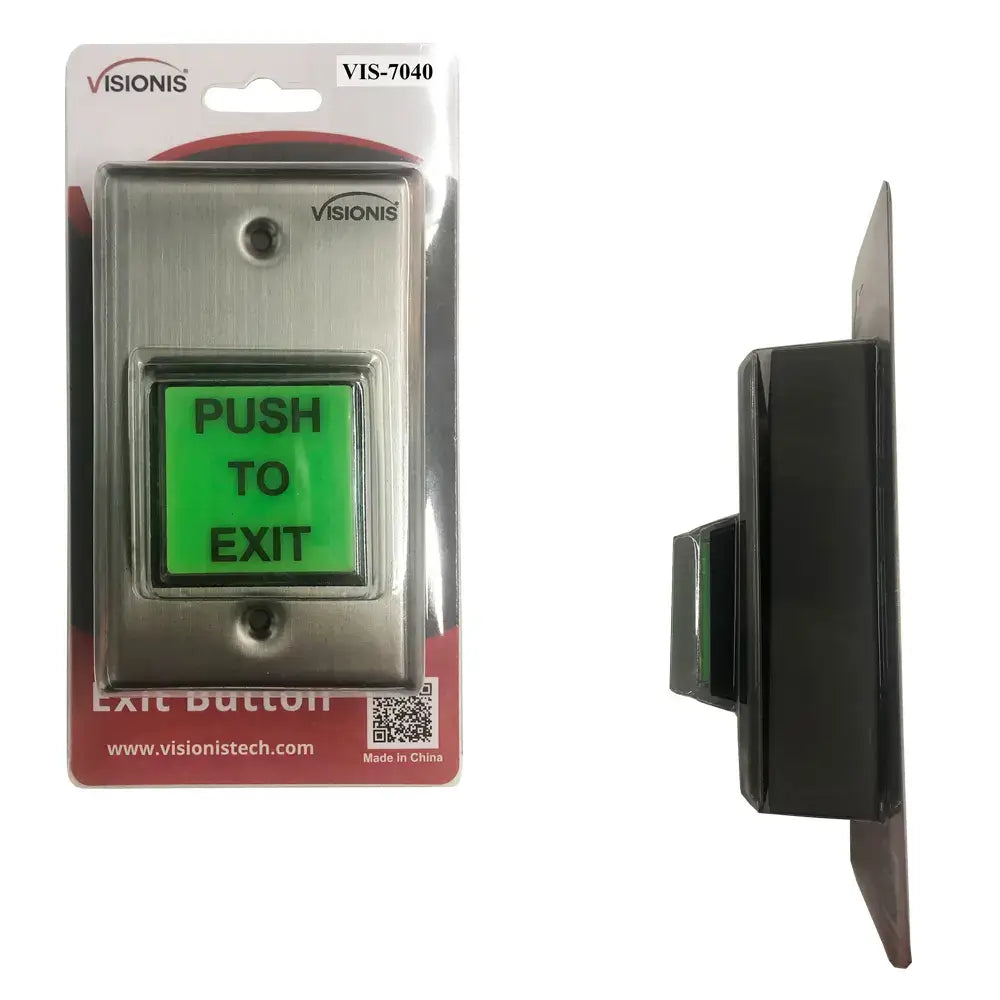
Packaging of this product

Description

The VISIONIS Request-to Exit Buttons and Switches offers a variety of options to fit several applications needs.

The VISIONIS line is designed to provide a reliable source of egress access controlled opening devices in residential, commercial and Industrial locations. The VISIONIS Request-to Exit Buttons may be connected to the request-to-exit input of any access control device or directly connected to an electromagnetic lock or Electric strike Device.


This Exit Button includes the following plates:

  • “PUSH TO EXIT” in green and red color.
  • “PRESIONE PARA SALIR” in green and red color.
  • Blue handicap plate.

Attention: This exit button is meant for indoor use. This Exit button does not have a delay.

Characteristics
Packaging of this product

Model No. VIS-7040:

  • Stainless-steel face-plate.
  • Fits into standard single-gang box
  • Large squared green color push button.
  • 12-Inch, AWG 18 wire leads
  • Degree of Protection: IP-40
  • LED: Yes
  • LED Life: 20000hours
  • Switch Material: Plastic
  • Switch Plate Material: Stainless Steel
  • Dimension of Mounted Switch: 57 mm or 2.24 In.
  • Dimension of Exit Button: 115L×70W×5H mm or 4.52L×2.75W×0.19H Inches.
  • Standard: U. S. A Standard
  • NO/NC contact rated 10A@125~250 VAC.
  • Illum. S.P.D.T.

Attention: This exit button is meant for indoor use. This Exit button does not have a delay

  • Does it have a time delay or timer function?

    No, it doesn't. We do have the model VIS-7100 with time delay.

  • Does it require batteries?

    No, the Visionis VIS-7040 Push to Exit Button does not require batteries. It is a hardwired device that gets its power from your access control system:

    • LED indicator: Powered by 12–24V DC from your access control panel or power supply
    • Switch mechanism: Purely mechanical — no power needed for the button itself to function
    • Wire leads: Comes with 12-inch AWG 18 wire leads for direct connection to your system
  • Can it be used outdoors? Is it weatherproof?

    The Visionis VIS-7040 Push to Exit Button is not weatherproof and is designed for indoor use only. The plastic switch material and stainless steel faceplate are not sealed for outdoor exposure.
    You can check our outdoor/weatherproof models here.

  • Can I use this request to exit button as a garage door opener?

    Yes, by connecting the C and NO connections to the opener wires. The LED light requires a 12 - 24 VDC power source. If you don't need the light, then the switch should work fine.

  • How do you change the faceplates?

    Remove the outer plastic ring and steel plate from the switch, push the white internal plastic fins inward to release the cover, swap the plate, and reassemble the spring and housing components. In this video you can find a step by step guide.

Download Datasheets and Manuals of this product

VIS-7040

Contact Us for Support
LET US HELP YOU WITH YOUR PURCHASE

Feel free to contact our dedicated support team if you have any questions or if you're ready to place an order.

I Need Help
Visionis by Visionis

Push to Exit Button for Door Access Control With LED Light. Green and Red Color “PUSH TO EXIT” and “PRESIONE PARA SALIR” Plates + Blue Handicap Plate. NC, COM, NO Outputs - VIS-7040 Visionis

UPC Code: 718910360151

Certifications:

  • CE Certificate
⚡ Order before 2:00 PM EST on weekdays for same-day shipping

In Stock

Regular price
$25.50
Sale price
$25.50
Regular price
$30.00
Shipping calculated at checkout.
Free Shipping Icon

Free US Shipping
To all 50 states

Product Warranty

3 YEAR Warranty

Return Policy Icon

30-Day Returns
No questions asked

Phone Support Icon

Lifetime Phone Support
Mon–Fri 9am–6pm EST
ATTENTION:
Before purchasing, it is recommended that the customer checks with their local fire authority to see if there is any additional product they may need in order to comply with the local fire codes. We are not responsible for the improper installation of our product(s) or any type of fees that can be incurred by not complying with your local fire authority.
Check Out These Related Products